
How to Deliver Lead Magnets Automatically on LinkedIn
How to Deliver Lead Magnets Automatically on LinkedIn
Manually delivering lead magnets on LinkedIn works at the start.
It breaks the moment engagement becomes real.
Once comments scale, creators hit the same wall:
comments pile up
replies arrive too late
high-intent people slip through
momentum dies
The problem is not effort.
It’s timing.
LinkedIn intent decays fast. If delivery does not happen while interest is fresh, conversion drops sharply.
This is where automation becomes necessary.
Not to remove the human touch, but to protect speed, consistency, and context.
This article explains how to deliver lead magnets automatically on LinkedIn in a way that still feels personal and conversation-first and how LeadShark was built specifically for this flow.
Why Manual Lead Magnet Delivery Stops Working
Manual delivery fails quietly.
Not because you stop replying, but because you reply too late or inconsistently.
Common failure points:
forgetting to reply to a comment
responding hours or days later
changing message copy without realizing it
losing context between posts, comments, and DMs
From the commenter’s side, this feels like friction or indifference.
Automation fixes this by doing one thing extremely well:
delivering value while intent is still high.
What “Automatic Delivery” Actually Means on LinkedIn
Automation on LinkedIn does not mean blasting generic DMs.
Proper lead magnet automation:
triggers only from real engagement
uses context from the exact post or comment
delivers the promised resource immediately
opens the door for a conversation, not a pitch
The goal is not volume.
The goal is reliability at the moment of intent.
This is the core philosophy behind LeadShark.
Step 1: Use Comments as the Trigger (Not Links)
Comments are the strongest intent signal on LinkedIn.
High-intent examples include:
“interested”
“send it”
“can you share this?”
keyword comments like “guide” or “template”
Unlike link clicks, comments are explicit.
They tell you who wants to continue the interaction.
LeadShark is designed around this signal first. Everything starts from the comment.
Step 2: Acknowledge Publicly Before Going Private
Before any DM is sent, there should be a public reply.
This matters more than most people realize.
Strong public replies:
confirm the request
set expectations
stay short and neutral
Examples:
“got it, sending it now”
“sharing this with you shortly”
This keeps the interaction transparent and builds social proof under the post itself.
LeadShark handles this automatically so every commenter gets acknowledged instantly, without you babysitting notifications.
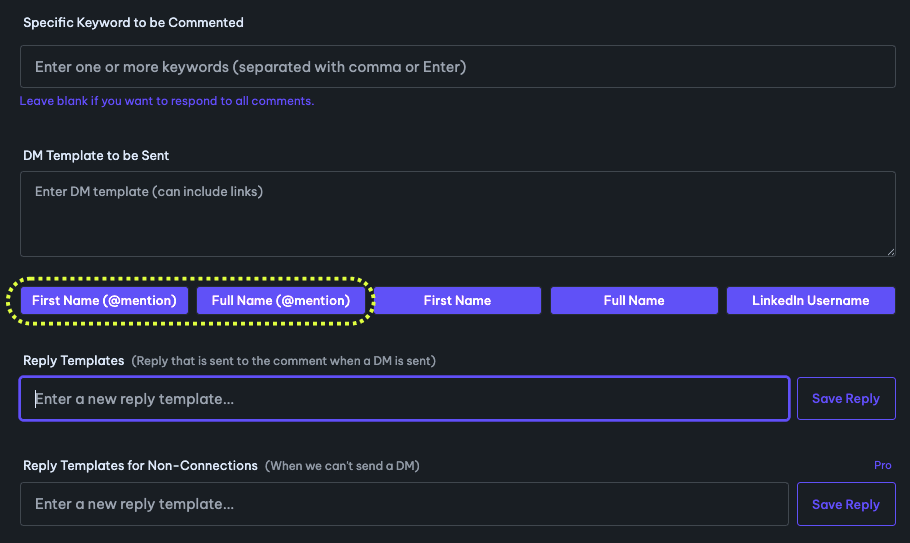
Step 3: Deliver the Lead Magnet in a Contextual DM
The private message should feel like a continuation of the comment, not a cold DM.
Effective delivery messages:
reference the post they commented on
deliver the resource immediately
avoid selling language
The lead magnet always comes first.
Conversation comes second.
LeadShark sends contextual DMs tied directly to the post and keyword that triggered them, so delivery never feels random or disconnected.
Step 4: Add a Single, Human Follow-Up (Not a Pitch)
After delivery, automation should slow down.
You do not need a sequence.
You do not need urgency.
One question is enough:
“was this helpful?”
“is this something you’re working on right now?”
This keeps the exchange human and invites a real response.
LeadShark intentionally limits follow-ups to protect trust and prevent over-automation.
Step 5: Treat Different Comments Differently
Not all comments deserve a DM.
A strong system:
delivers lead magnets to high-intent comments
acknowledges low-intent comments publicly
avoids unnecessary private messages
This protects your reputation and improves lead quality.
LeadShark allows selective, keyword-based automation so you are not DMing everyone who comments a random emoji.
Step 6: Track What People Actually Ask For
Automation creates visibility you never get manually.
Over time, you can see:
which posts trigger the most requests
which lead magnets get clicked
which topics lead to real conversations
This feedback loop improves both your content and your offers.
LeadShark ties posts, comments, DMs, and link engagement together so you can see which ideas attract buyers, not just engagement.
Where LeadShark Fits In
Once engagement grows, doing this manually becomes unrealistic.
LeadShark exists to handle the mechanics:
detect comment triggers
send timely, contextual DMs
deliver lead magnets instantly
track engagement per person
So you can focus on the part that still matters:
having real conversations with the right people.
Common Automation Mistakes to Avoid
Even with tools, mistakes can kill trust.
Avoid:
sending links with no context
pitching immediately after delivery
treating all comments the same
stacking follow-ups just because you can
Automation should support conversations, not replace them.
Final Thoughts
Delivering lead magnets automatically on LinkedIn is not about speed alone.
It is about:
respecting intent
protecting momentum
building systems you can rely on
turning engagement into conversations
When done correctly, automation strengthens your inbound strategy instead of weakening it.
If you want to deliver lead magnets instantly without losing the human touch, that is exactly what LeadShark is built for.
👉 Turn LinkedIn comments into instant lead magnet delivery
https://apex.leadshark.io/auth/register
Go Back