
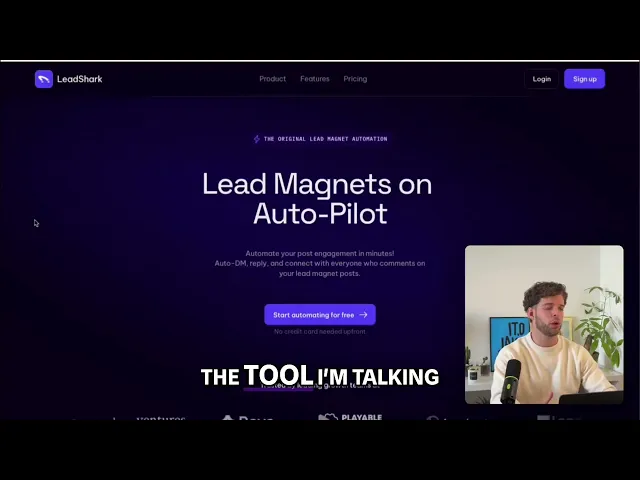
What is LeadShark? Automate your LinkedIn

What is LeadShark? Turning LinkedIn Post Comments into Automated DMs and Leads + Automate LinkedIn from Claude with Apex.new 🧬
LeadShark's core idea is simple: turn LinkedIn engagement into an automated inbound lead funnel. Instead of manually replying to everyone who comments on a post, it watches for comments, sends the promised resource via DM, captures lead data, and triggers follow-up actions automatically.
If you've seen how ManyChat works on Instagram, LeadShark positions itself as the LinkedIn equivalent. In fact, that's one of its primary differentiators: it's built specifically around LinkedIn's comment-to-DM workflow.
How the workflow works
1. Publish a "lead magnet" post
You create a LinkedIn post offering something valuable:
Templates
Checklists
Playbooks
Case studies
Swipe files
Full PDF Reports
or free tools such as Vibe Inbound Generator 🍋
The CTA is for example:
"Comment CLAUDE and I will DM you the resource"
REPOST to get some type of BONUS
So the comment itself becomes the intent signal. LeadShark captures ALL commenters who commented the keyword on your automated posts, and DMs them the resource or sends a comment reply to their comment on full auto!
2. Detect commenters automatically
Once someone comments with the desired keyword (or simply comments, depending on the automation setup), LeadShark monitors the post and captures that engagement from that point onwards.
3. The public acknowledgment
LeadShark can automatically post a public reply such as:
"sent it now, Bob."
This serves two purposes:
Confirms the sent DM to the commenter.
Creates visible social proof on the post.
Keeps the algorithm going, as you're more engaged.
4. Send an instant DM
The system immediately sends a LinkedIn DM containing:
The resource, link, Notion etc.
A personalized message + thanks for commenting
A question, like: how do you do X today?
The speed matters because engagement is highest immediately after the comment. Waiting hours or days reduces conversion + kills the post growth.
5. Capture lead information
Rather than sending people directly to a PDF or Notion page, LeadShark can route them through a gated Page that collects:
Email address
Tracks click activity
All engagement signals
This helps identify who is genuinely interested versus casually curious and interested.
6. Qualify and score leads
The platform tracks actions such as:
Link clicks
Resource downloads
Email submissions
These signals can be used to determine who should receive further follow-up.
7. Sync leads into your marketing stack
LeadShark supports CRM and newsletter workflows, including integrations with platforms like Kit and Beehiiv, allowing commenters to flow into email nurturing sequences. And all other CRMs + custom systems through Webhooks.
What makes LeadShark different?
1. It starts with inbound intent, and a comment on your post
Most LinkedIn automation tools focus on:
Cold outreach
Cold connection requests
Automated prospecting + scraping
LeadShark starts with people who already engaged with your content. The lead has effectively raised their hand first.
That changes the economics dramatically:
Traditional LinkedIn Automation | LeadShark |
|---|---|
Cold prospect lists | People who engaged |
Outbound-first | Inbound |
Send messages hoping for interest | Interest already demonstrated |
Lower trust | Higher trust |
2. It is built around comment-to-DM automation
Many LinkedIn tools automate prospecting.
LeadShark's specialty is this loop:
Comment → DM → Lead Magnet → Lead Capture → Follow-up (with qualified leads)
That's a much more targeted worklow.
3. It treats comments and reactions as Signals
The platform's philosophy is that comments are among the highest-intent actions available on LinkedIn because they require deliberate engagement rather than passive consumption.
4. It includes lead qualification + ICP enrichment
A lot of comment automation tools stop at:
"Here's your PDF."
LeadShark adds:
Click tracking
Email capture
Intent tracking
Lead qualification (ICP)
before pushing people further into the funnel.
5. It focuses on creator-led growth
The platform is designed around a modern LinkedIn content engine:
rather than a traditional SDR-style outreach engine.
A practical example
Suppose you're a B2B SaaS founder.
You post:
"I built a 50-point SaaS onboarding checklist. Comment CHECKLIST and I'll send it."
Without automation:
500 comments arrive.
You manually DM people.
Half don't get a response for days.
Many never receive the resource.
With LeadShark:
User comments "CHECKLIST"
Public reply is posted
DM is sent instantly
User clicks the link
Email is captured
CRM is updated
Follow-up sequence begins
All automatically.
Where it works best
LeadShark tends to be most effective when you already have:
Consistent LinkedIn content
A clear ICP
Valuable lead magnets
A service or SaaS with a meaningful sales cycle
If your posts don't generate comments, the automation has nothing to act on. The leverage comes from turning existing engagement into a repeatable lead capture system.
The simplest way to think about LeadShark is:
Most LinkedIn automation tools help you find prospects. LeadShark helps you convert people who already showed interest in your content, ON AUTO.
LEARN MORE:
Go Back